
Website Redesign SEO Checklist: How to Redesign Without Losing Traffic
A before, during and after checklist for redesigning your website without losing the search traffic you have earned.
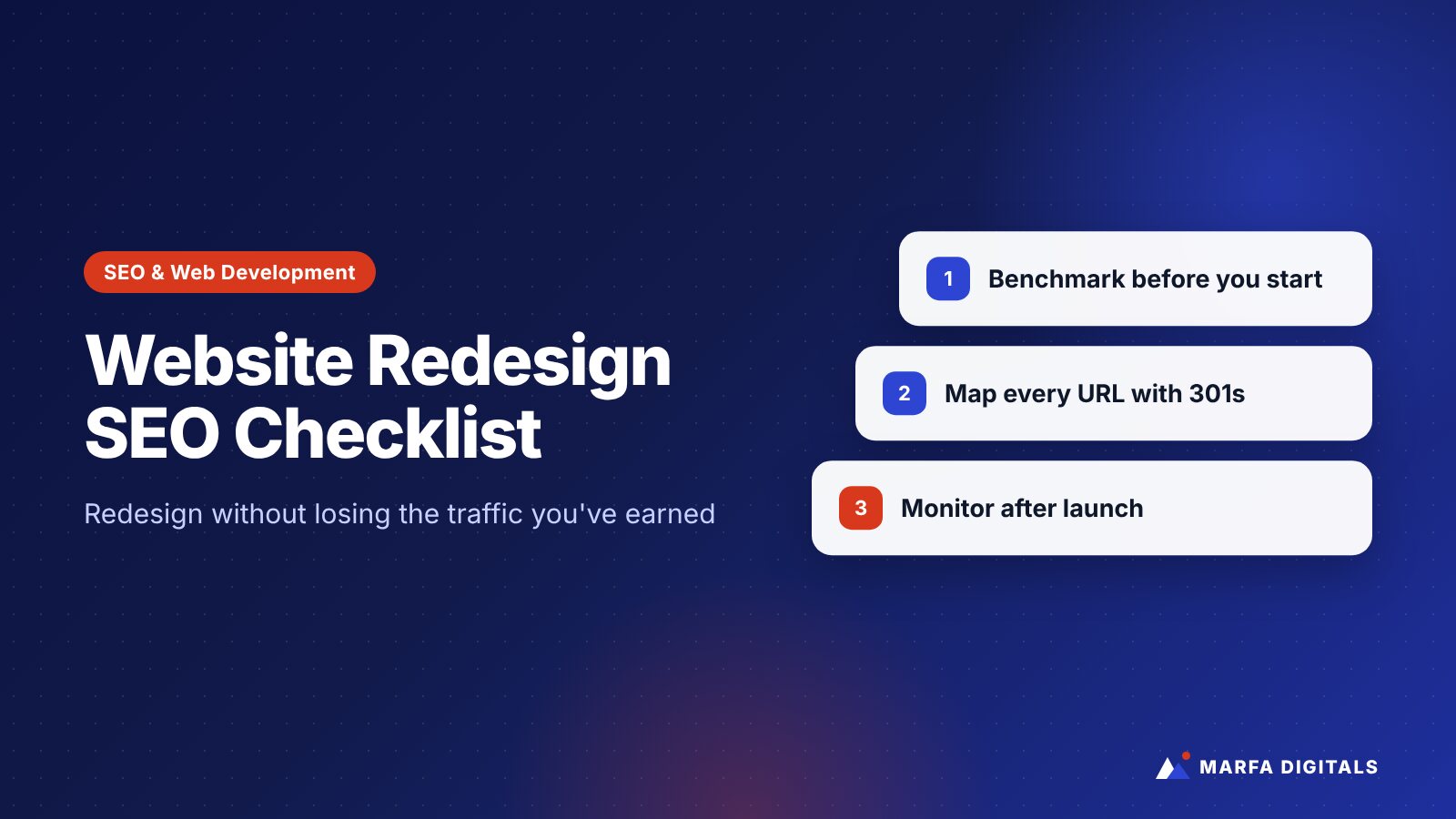
To redesign a website without losing SEO traffic, record your current rankings and top pages before you start, keep URLs the same wherever possible, map every changed URL to its closest new equivalent with permanent 301 redirects, carry over titles, content, and internal links on important pages, and test the new site on a staging server before launch. After launch, submit a new sitemap, monitor Google Search Console closely, and keep redirects in place for at least a year, as Google recommends.
A website redesign is one of the most common causes of sudden organic traffic loss. The new site looks better, loads faster, and feels more modern, and then the phone gets quieter. In many cases, nothing is wrong with the design. The problem is that pages Google trusted were removed, renamed, or rewritten without a plan.
The good news is that most redesign traffic losses are preventable. This checklist walks through what to do before, during, and after a redesign so your new site keeps the visibility you have already earned.
Why Redesigns Hurt SEO
Search engines rank individual pages, not websites as a whole. A redesign can affect those pages in several ways:
- URLs change without redirects, so ranking pages become 404 errors.
- Content is cut to fit a cleaner design, removing the text that matched what people searched for.
- Pages are merged or deleted without considering which ones brought traffic or leads.
- Internal links change, making important pages harder to find.
- Technical settings carry over from staging, such as a noindex tag or a robots.txt block that hides the whole site.
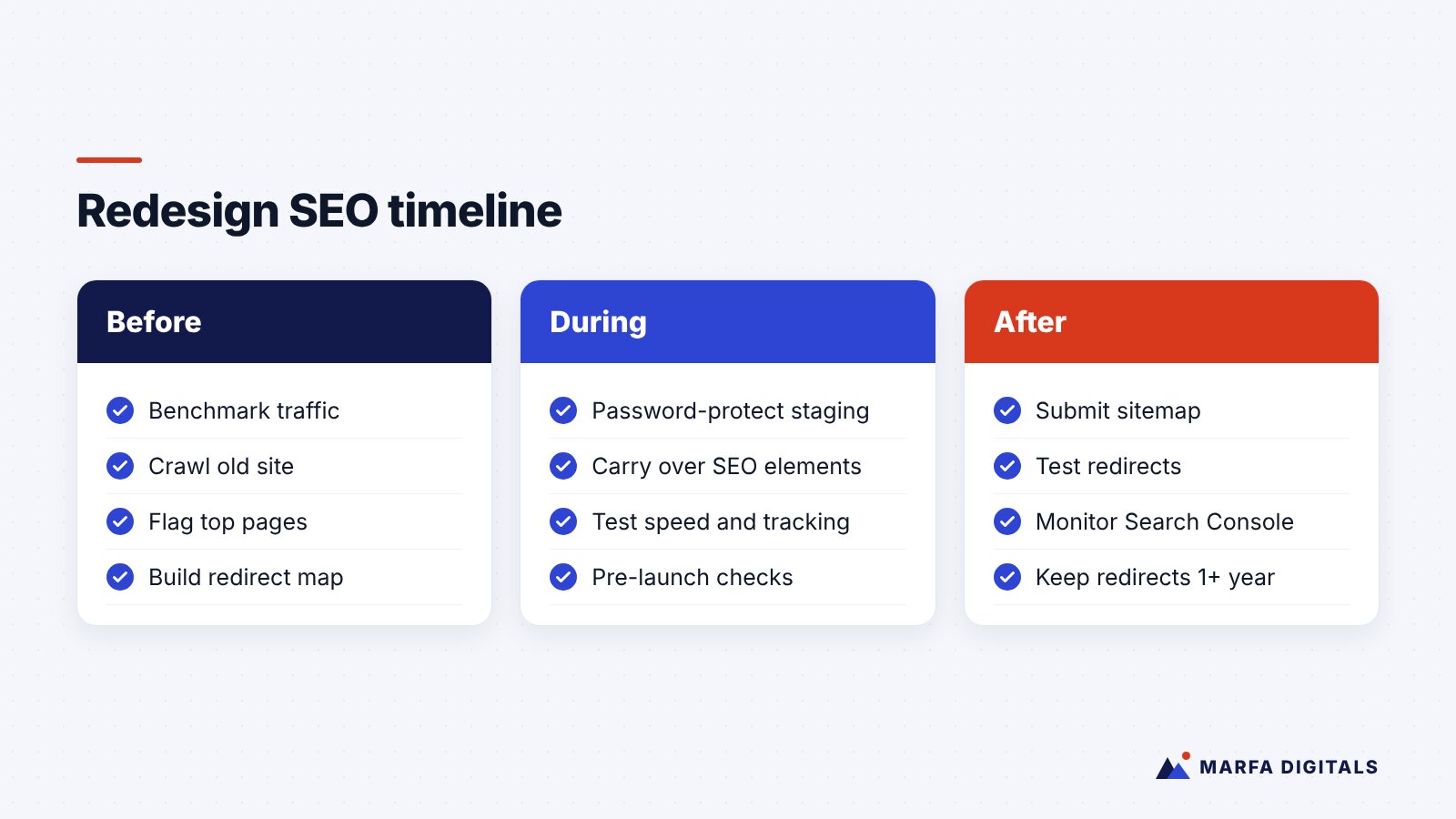
Before the Redesign: Protect What’s Working
1. Benchmark your current performance
Export data from Google Search Console and Google Analytics 4 for at least the last 12 months if you have it: top landing pages, queries, clicks, impressions, and conversions. You need this to spot problems after launch and to prove whether the redesign helped.
2. Crawl the existing site
Use a crawler to list every URL, title tag, meta description, H1, canonical tag, and internal link. Google’s site move guidance suggests building your list from sitemaps, analytics, server logs, and your CMS, including images and downloadable files.
3. Identify your most valuable pages
Flag pages that drive organic traffic, leads, sales, or backlinks. These pages need the most care. Do not remove or heavily rewrite them without a clear reason.
4. Keep URLs the same where you can
The safest URL change is no URL change. If your current structure is reasonable, keep it. Change URLs only when there is a real benefit, such as fixing a confusing structure or moving to a cleaner hierarchy.
5. Build a redirect map
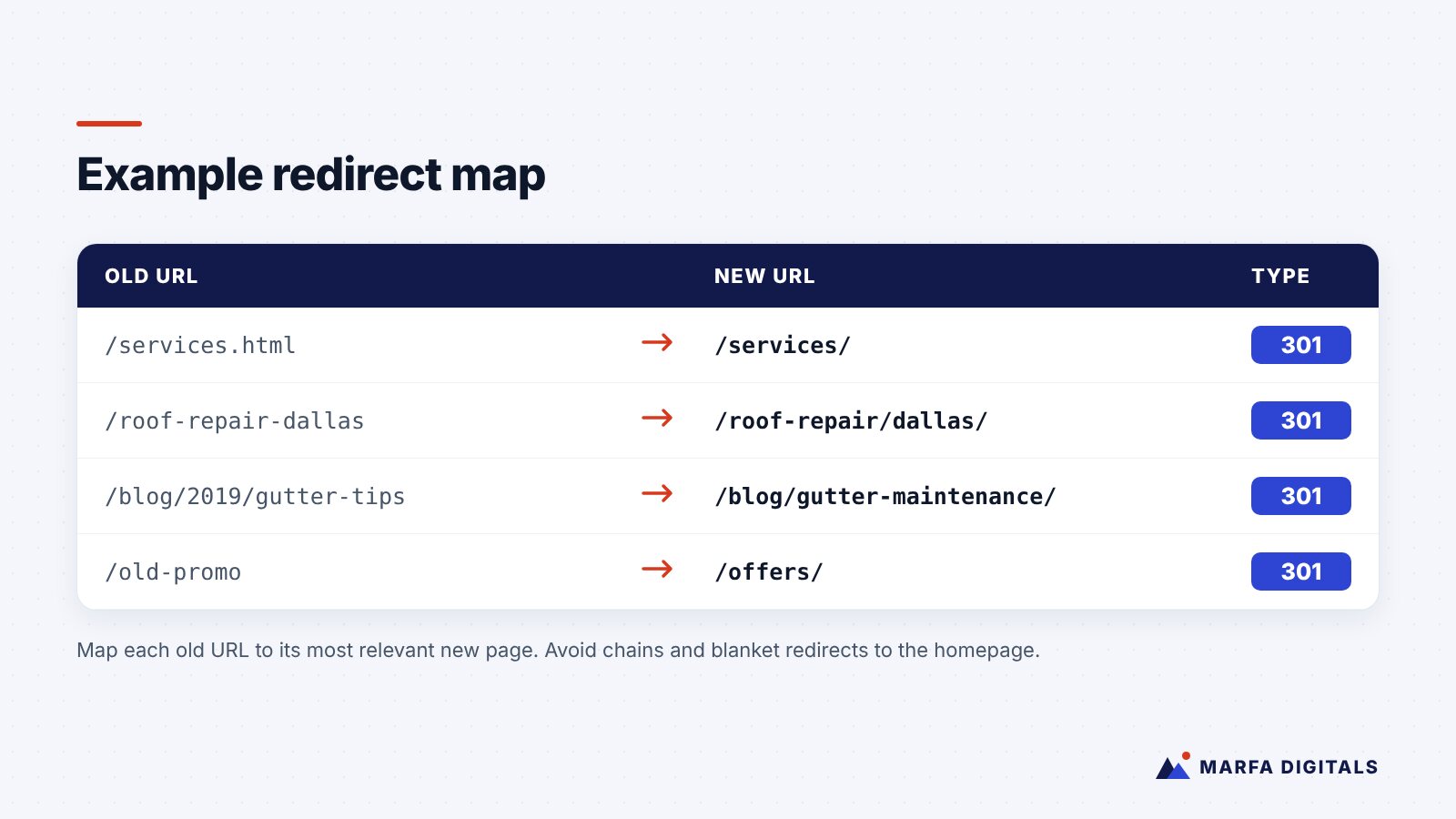
For every URL that changes, choose the most relevant new page. Use server-side permanent redirects (301 or 308). Google advises against redirecting many old URLs to an irrelevant page such as the homepage, and recommends avoiding long redirect chains.
6. Plan content carefully
Designers often push for less text. That can work for some pages, but service and product pages that rank need enough content to answer searchers’ questions. Find layouts that present content clearly, using tabs, accordions, or well-designed sections, rather than deleting it.
7. Carry over on-page SEO elements
Move title tags, meta descriptions, headings, image alt text, and structured data from the old pages to their new versions, then improve them where appropriate.
8. Preserve and strengthen internal links
Make sure navigation, footer links, and in-content links still point to your key service and product pages. Update internal links to point directly at new URLs instead of relying on redirects.
During Development: Test Before You Launch
9. Block the staging site from search engines
Use password protection on staging so it cannot be indexed. Password protection is safer than relying only on noindex tags, which are easy to accidentally carry over to the live site.
10. Test speed and mobile usability
Check key templates against Google’s Core Web Vitals and test on real phones. A redesign is the best opportunity to fix speed problems, not create new ones.
11. Test tracking
Confirm GA4, Google Ads conversion tracking, the Meta Pixel and Conversions API, call tracking, and form notifications all work on staging. Losing conversion tracking during a launch can disrupt your ad campaigns as well as your reporting.
12. Review the pre-launch checklist
- Redirect map implemented and tested
- Canonical tags point to the correct new URLs
- No unintended noindex tags
- robots.txt allows crawling of the live site
- XML sitemap contains only live, indexable URLs
- Structured data validates
- 404 page is helpful and branded
After Launch: Monitor and Fix Quickly
13. Submit your sitemap and inspect key pages
Submit the new XML sitemap in Google Search Console and use the URL Inspection tool on your most important pages. If you changed domains, Google recommends using the Change of Address tool for each verified version of the old site.
14. Test redirects at scale
Crawl your old URL list and confirm each one redirects to the right new page in a single hop. Fix any errors or chains immediately.
15. Watch Search Console daily for the first few weeks
Monitor page indexing, crawl errors, and performance for your top pages. Google notes that temporary ranking fluctuations are normal after a site move and that medium-sized sites can take a few weeks or more for new URLs to settle.
16. Keep redirects for at least a year
Google recommends keeping redirects in place for at least one year. In practice, many businesses keep them permanently, especially for pages with backlinks.
17. Update external links and profiles
Update your Google Business Profile, social profiles, directory listings, and ad campaigns with new URLs. Ask important partners to update links to your site where it makes sense.
A Redesign Is Also an Opportunity
Handled well, a redesign can improve SEO, not just protect it. It is a chance to:
- Create dedicated pages for services that were buried in one long page
- Improve page speed and mobile usability
- Add clearer calls to action and trust signals, as covered in our guide to why websites don’t generate leads
- Structure content so it is easier for AI search experiences to understand, as explained in our generative engine optimization guide
- Strengthen local signals, using our local SEO checklist if you serve specific areas
Frequently Asked Questions
Will a website redesign always cause a traffic drop?
No. Some short-term fluctuation is common, but a well-planned redesign with proper redirects and preserved content should recover quickly and can improve performance over time.
How long does it take for rankings to recover after a redesign?
It depends on site size and how much changed. Google says medium-sized sites can take a few weeks or more for new URLs to settle, and larger sites longer. If traffic is still down significantly after that, investigate redirects, indexing, and content changes.
Should I change my URLs during a redesign?
Only if there is a clear benefit. Every changed URL adds risk and requires a redirect. If you do change them, map each old URL to its most relevant new page.
Do 301 redirects lose SEO value?
Google states that permanent redirects do not cause a loss of link credit. Redirect chains and irrelevant redirect targets are the bigger risks.
Redesign With Confidence
A new website should bring in more business, not less. Our web development and SEO teams plan redesigns together so design, content, redirects, and tracking are handled as one project. Talk to us before your next redesign.
Sources
- Google Search Central, Site moves with URL changes (last updated August 20, 2026)
- web.dev, Web Vitals
Related articles
 SEO & AI Search Generative Engine Optimization (GEO): How B2B and Service Brands Get Recommended by AI
Read article
SEO & AI Search Generative Engine Optimization (GEO): How B2B and Service Brands Get Recommended by AI
Read article
 Google Ads Google Ads for Roofers: How Roofing Companies Get More Inspections and Signed Jobs
Read article
Google Ads Google Ads for Roofers: How Roofing Companies Get More Inspections and Signed Jobs
Read article
 TikTok Ads Are TikTok Ads Worth It for Small Businesses in 2026?
Read article
TikTok Ads Are TikTok Ads Worth It for Small Businesses in 2026?
Read article