
AI Chatbots for Small Business Websites: What They Can Do and How to Set One Up
How small businesses can use AI chatbots to answer questions, capture leads and book appointments without creating new risks.
An AI chatbot for a small business website can answer common questions, qualify visitors, capture contact details, and book appointments around the clock. It works best when it is trained on accurate information about your business, limited to topics it can answer reliably, connected to your CRM or calendar, and set up to hand complex conversations to a person. A chatbot will not fix an unclear website or a weak offer, but it can stop after-hours visitors from leaving without a next step.
Website visitors often arrive with a quick question: Do you serve my area? Do you work with companies my size? How soon can you start? If the answer is not obvious and nobody is available to respond, many of those visitors leave. Some never come back.
AI chatbots have improved quickly, and they are now practical for businesses of almost any size. They are also easy to set up badly. This guide covers what a chatbot can realistically do, how it compares to other options, and how to implement one without creating new problems.
What Is an AI Chatbot?
An AI chatbot is software on your website that uses a large language model to hold a conversation in natural language. Unlike older rule-based chatbots that followed fixed decision trees, AI chatbots can understand questions phrased in many different ways and respond conversationally.
For a business, the key is grounding. A well-configured chatbot answers from your approved information, such as service pages, FAQs, policies, and pricing guidance, rather than inventing answers from general knowledge.
What an AI Chatbot Can Do for a Small Business
- Answer common questions instantly: services, service areas, hours, process, and what to expect.
- Qualify leads: ask a few questions about the visitor’s needs, timeline, or company size before passing them to sales.
- Capture contact details: collect name, email, or phone when a visitor is interested but not ready to fill in a form.
- Book appointments: connect to your calendar so visitors can schedule a consultation, estimate, or demo.
- Route conversations: send urgent or complex requests to the right person.
- Reveal what visitors want to know: chat transcripts show common questions and objections you can address on your website.
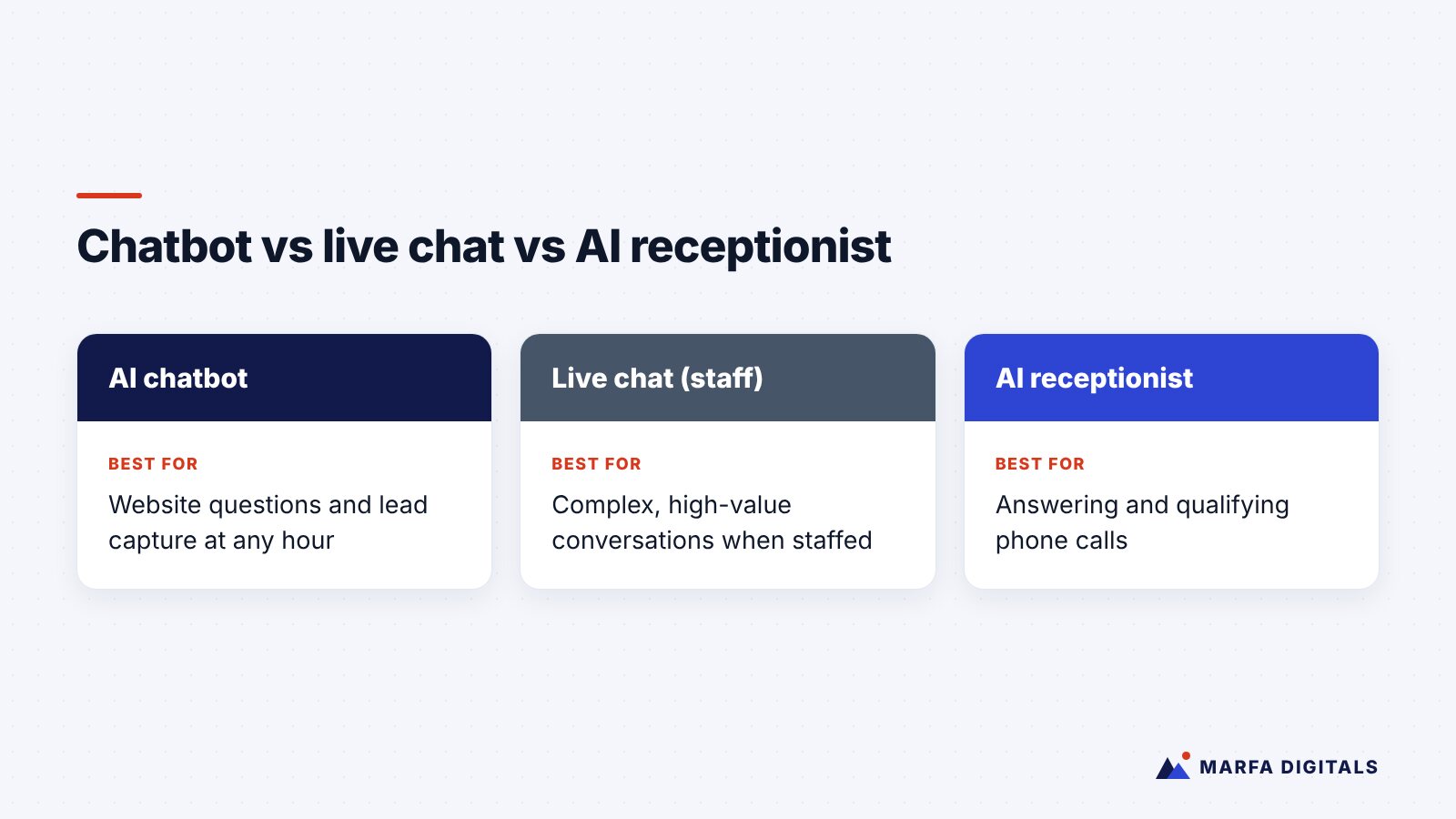
Chatbot vs Live Chat vs AI Receptionist
| Option | Best for | Limitations |
|---|---|---|
| AI chatbot | Answering website questions and capturing leads at any hour | Needs accurate training content and clear limits |
| Live chat with staff | Complex sales conversations and high-value prospects | Only works when someone is available |
| Hybrid chatbot plus human handoff | Most small businesses | Requires a clear handoff process |
| AI receptionist | Answering phone calls, qualifying callers, and booking | Handles calls, not website chat |
Many businesses use more than one. Service businesses that rely on phone calls may get more value from an AI receptionist first, while B2B companies with research-heavy buyers often benefit more from a website chatbot.
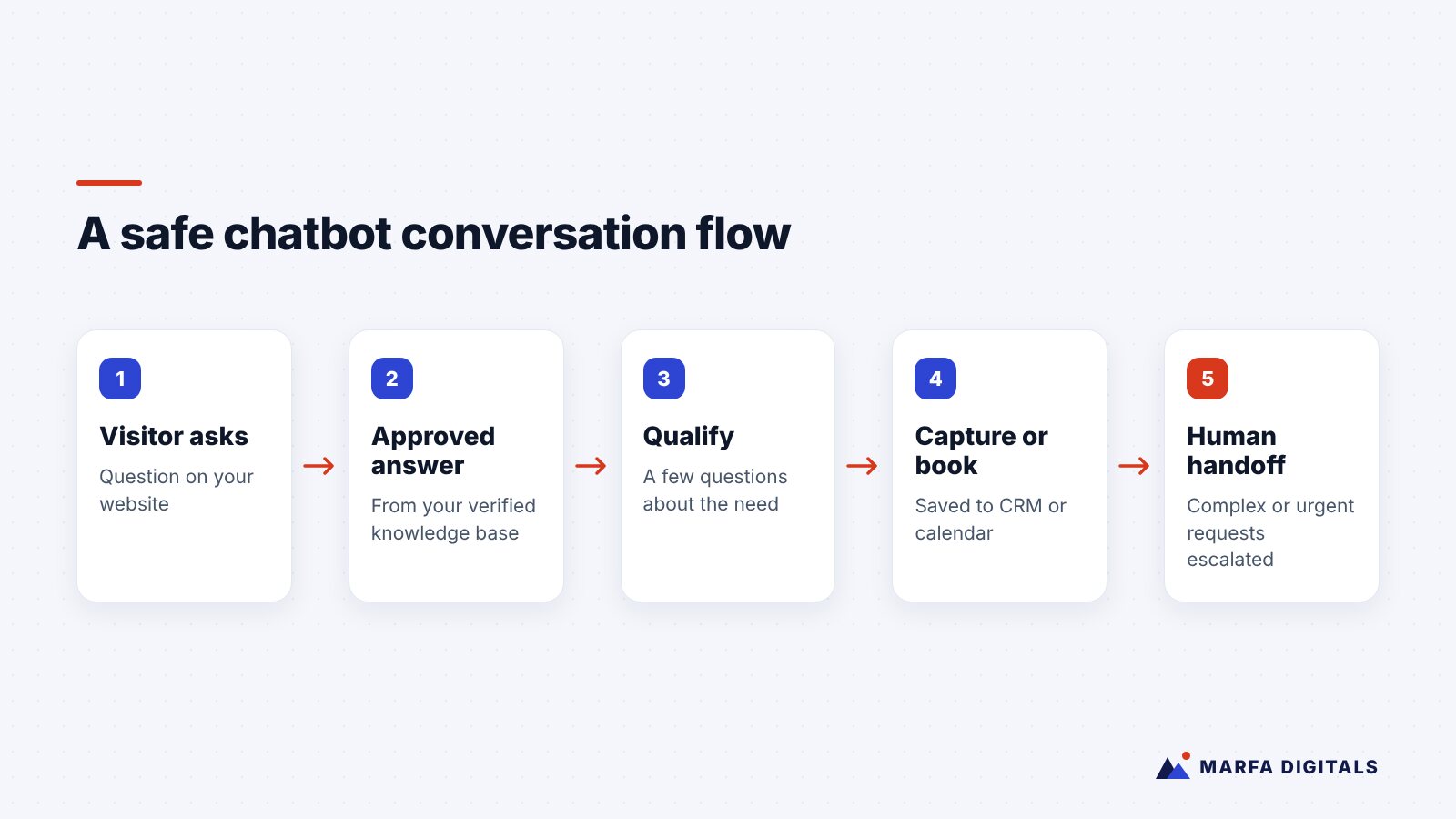
How to Set Up an AI Chatbot the Right Way
1. Define the job
Decide what the chatbot should accomplish. Booking estimates, qualifying B2B leads, and answering support questions are different goals that need different designs. Pick one primary job to start.
2. Build an approved knowledge base
Give the chatbot accurate information: service descriptions, service areas, hours, policies, pricing guidance, and answers to frequent questions. If your website is outdated, fix that first, because the chatbot will repeat what it finds.
3. Set clear boundaries
Tell the chatbot what it must not do: quote exact prices it cannot confirm, make guarantees, give legal or medical advice, or promise availability it cannot check. Instruct it to say when it does not know and offer to connect the visitor with a person.
4. Connect it to your systems
Integrate the chatbot with your CRM so conversations and contact details are saved, and with your calendar if it books appointments. A lead captured in a chatbot that nobody sees is no better than a lost lead.
5. Design the human handoff
Decide when the chatbot should escalate: high-value requests, frustrated visitors, complex questions, or anything outside its scope. Make sure someone receives the alert and responds quickly.
6. Disclose that it is AI
Be upfront that visitors are chatting with an AI assistant. It builds trust, and in some places it is required. California, for example, has a bot disclosure law that applies to bots used to encourage a sale in certain online interactions.
7. Test, review, and improve
Before launch, test the chatbot with real questions, including tricky ones. After launch, review transcripts regularly, correct wrong answers, and update its knowledge when your services or policies change.
Risks to Take Seriously
Wrong answers are your responsibility
Businesses can be held responsible for what their chatbots tell customers. In a widely reported 2024 case, a Canadian tribunal held Air Canada liable for inaccurate refund information its chatbot gave a customer, as summarized by the American Bar Association. Limit your chatbot to information you have verified.
Privacy and sensitive data
Be careful about what information your chatbot collects and where it is stored. Healthcare, legal, and financial businesses in particular should check their obligations before deploying a chatbot and avoid collecting sensitive information through it unless the platform and setup support that properly.
Over-automation
A chatbot that traps visitors in loops or blocks them from reaching a person damages trust. Always provide a clear way to contact your team.
Does a Chatbot Actually Help Lead Generation?
It can, when it is part of a well-built system. In a Texas local services engagement featured in our case studies, local SEO, Google Ads, and an AI chatbot that books appointments around the clock together contributed to a 41% lower cost per lead. The chatbot was one part of the result, not a standalone fix.
Before adding a chatbot, make sure the fundamentals are in place: clear service pages, fast load times, and an obvious way to contact you. Our guide to why websites fail to generate leads covers those basics, and our marketing automation workflows guide shows how a chatbot fits into a wider follow-up system.
Related guides: Learn more about our AI chatbot development service, and see what AI chatbots cost and how they work, bilingual chatbots in Houston and the Texas AI automation guide.
Frequently Asked Questions
How much does an AI chatbot cost for a small business?
Costs vary by platform, conversation volume, and how much integration and custom setup you need. Simple tools can be inexpensive to start, while custom chatbots connected to CRMs and booking systems involve more setup. Compare the cost against the value of the leads it captures.
Can a chatbot replace my staff?
For most small businesses, no. It handles repetitive questions and after-hours inquiries so your team can focus on conversations that need judgment and relationships.
Will a chatbot slow down my website?
It can if the script loads heavily. Ask your developer to load it efficiently and check page speed before and after installation.
Put AI to Work on Your Website
An AI chatbot is most valuable when it is accurate, connected, and backed by a team that follows up. If you want help designing and deploying chatbots, AI agents, or automated workflows, explore our AI and automation services. Contact Marfa Digitals to talk through what would work for your business.
Sources
- American Bar Association, Business Law Today, Air Canada Answers for Its Chatbot’s Bad Fare Advice (February 2024)
- California Legislative Information, SB 1001, Bots: disclosure
Related articles
 Marketing Automation & AI Marketing Automation for Small Business: 7 Workflows to Set Up First
Read article
Marketing Automation & AI Marketing Automation for Small Business: 7 Workflows to Set Up First
Read article
 Marketing Automation & AI AI Receptionists for Small Businesses: Are They Worth It for Service Companies?
Read article
Marketing Automation & AI AI Receptionists for Small Businesses: Are They Worth It for Service Companies?
Read article
 Marketing Automation & AI Best CRM for Small Businesses in Texas: HubSpot vs GoHighLevel vs Zoho (2026)
Read article
Marketing Automation & AI Best CRM for Small Businesses in Texas: HubSpot vs GoHighLevel vs Zoho (2026)
Read article