Meta Conversions API for Small Businesses: Why the Pixel Isn’t Enough
The Meta Conversions API sends leads and sales from your server or CRM to Meta. Here is why it matters and how to set it up.
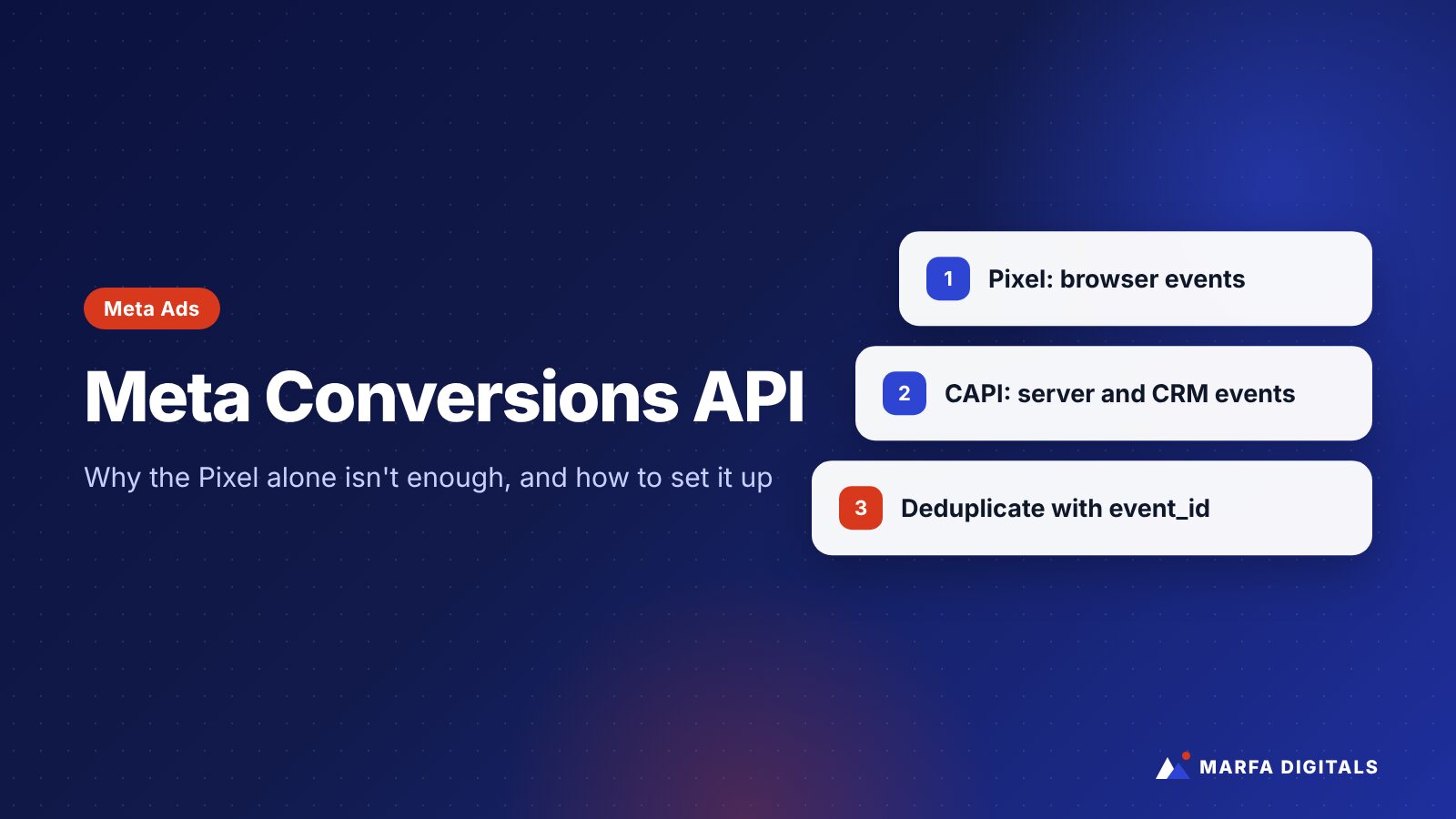
The Meta Conversions API (CAPI) sends conversion events, such as leads, purchases, and booked appointments, directly from your server, website platform, or CRM to Meta. It works alongside the Meta Pixel, which tracks events in the visitor’s browser. Meta recommends running both together and deduplicating events that are sent through both, so Meta gets a more complete picture of which ads drive results without counting the same conversion twice.
If your Facebook and Instagram ads seem to be getting worse, or your Ads Manager numbers do not match your sales, the problem may not be your creative or your targeting. It may be the data Meta is receiving.
Browser-based tracking alone misses some conversions. Ad blockers, browser privacy features, and people switching devices all leave gaps. When Meta sees fewer conversions than actually happened, its delivery system has less information to learn from. The Conversions API is Meta’s answer to that problem.
What Is the Meta Conversions API?
According to Meta’s developer documentation, the Conversions API creates a connection between an advertiser’s marketing data and Meta’s systems. That data can come from a server, website platform, mobile app, or CRM, and it can include website, app, messaging, and offline conversion events.
Meta processes server events like Pixel events, so they can be used for measurement, reporting, and ad delivery optimization.
Pixel vs Conversions API: What’s the Difference?
| Meta Pixel | Conversions API | |
|---|---|---|
| Where it runs | In the visitor’s browser | On your server, platform, or CRM |
| Affected by ad blockers and browser restrictions | Yes | Much less, because the event is sent server-to-server |
| Can send offline or CRM events | No | Yes, such as a lead becoming qualified or a sale closing |
| Setup effort | Low | Low to moderate, depending on your platform |
| Best use | Browsing behavior and on-site events | Reliable conversion signals and lead quality data |
This is not an either-or decision. Meta’s own guidance is to use the Conversions API alongside the Pixel, which Meta calls a redundant setup.
Why Small Businesses Should Care
Better data helps Meta find better customers
Meta’s delivery system learns from the conversions you report. When it receives more complete data, it has a better chance of finding people similar to the ones who actually converted. This matters even more now that Meta’s system relies heavily on your creative and your conversion signals rather than detailed interest targeting.
You can optimize for quality, not just volume
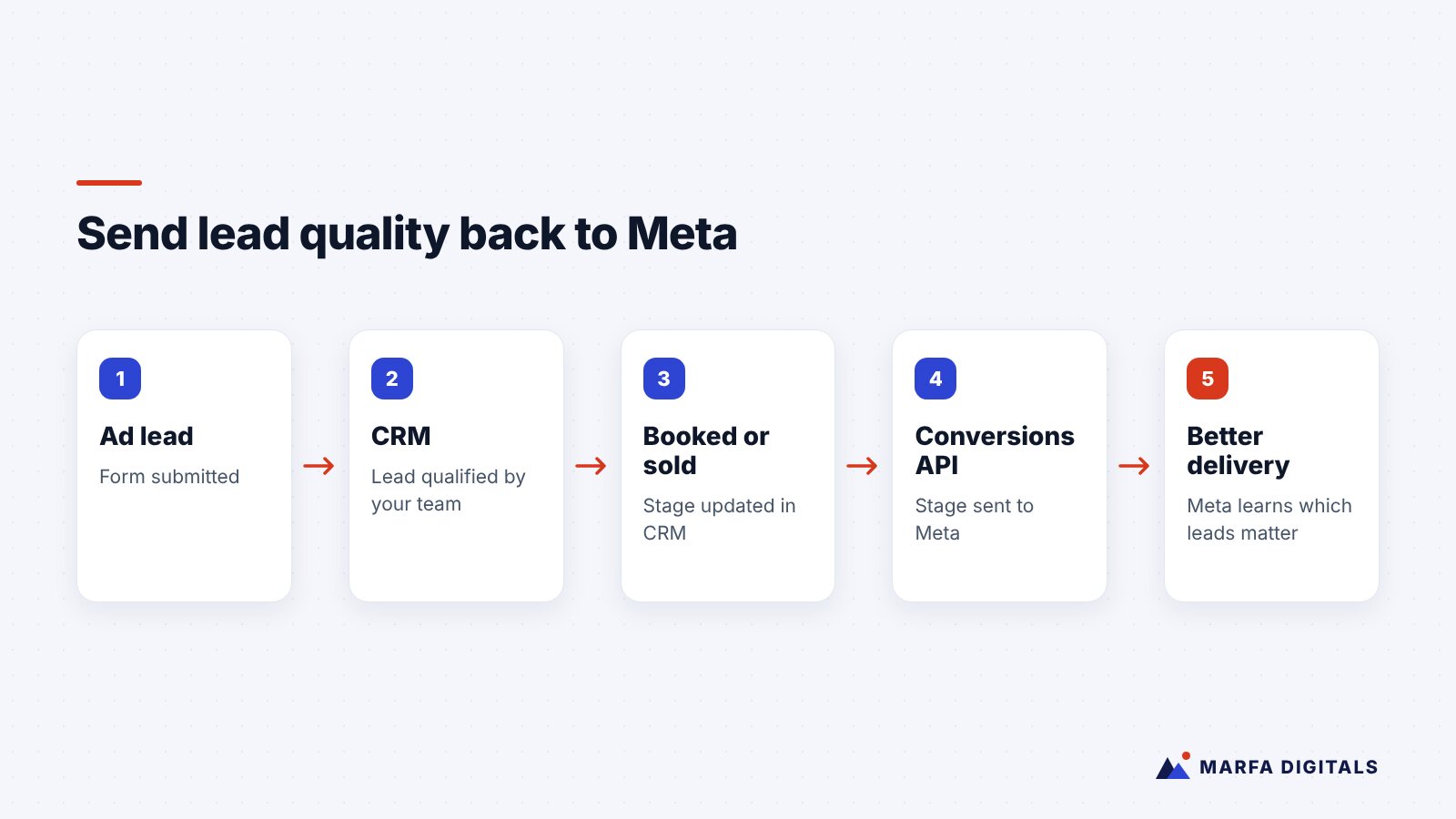
This is the biggest benefit for lead generation businesses. A form fill is not a customer. With the Conversions API connected to your CRM, you can send later-stage events back to Meta, such as “qualified lead,” “appointment booked,” or “sale closed.” That tells Meta which leads were valuable, not just which ones submitted a form.
Your reporting gets closer to reality
Ads Manager will never match your CRM perfectly, but a solid setup narrows the gap so you can make budget decisions with more confidence.
How Deduplication Works
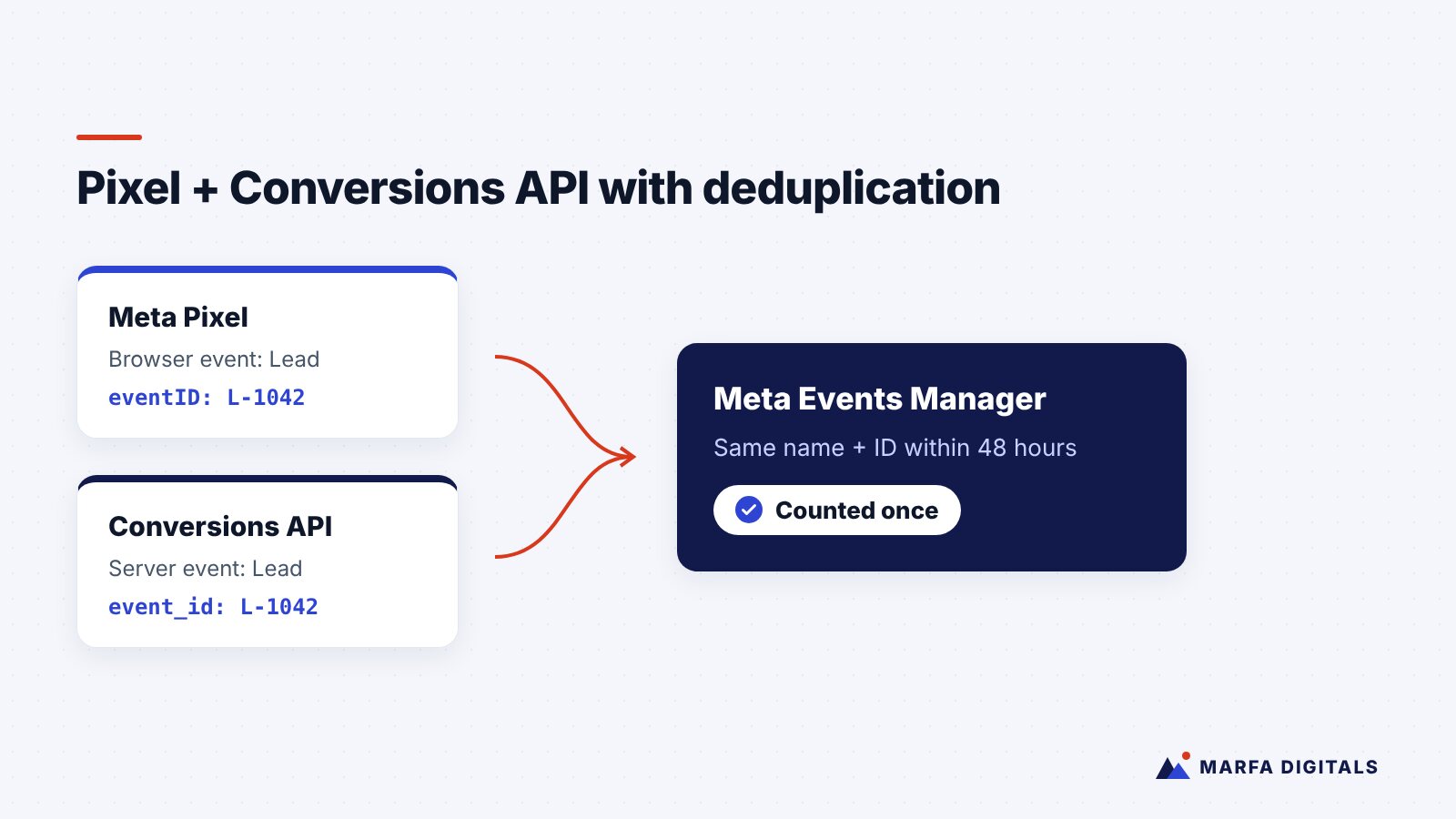
If you send the same lead through both the Pixel and the Conversions API without deduplication, Meta may count it twice. Meta’s deduplication guide explains the recommended method:
- Give each event a unique ID.
- The Pixel’s
eventIDmust match the Conversions API’sevent_id. - The event name must match too, for example
Leadin both. - When matching events arrive within 48 hours, Meta keeps one and discards the duplicate.
Most platform integrations handle this automatically. If your developer built a custom setup, ask them to confirm deduplication is working.
How to Set Up the Conversions API
The right method depends on your website and tools.
Option 1: Built-in platform integrations
Many platforms offer a Meta integration that includes the Conversions API. Shopify’s Facebook and Instagram sales channel and Meta’s official WordPress integration are common examples. This is usually the fastest route for small businesses. Check that the integration’s data sharing setting includes server-side events.
Option 2: CRM integrations
If you generate leads, connecting your CRM is where the real value is. Some CRMs offer native Meta integrations, and others can connect through automation tools. The goal is to send lead status changes back to Meta.
Option 3: Conversions API Gateway or server-side tagging
Meta’s Conversions API Gateway and server-side Google Tag Manager are options for businesses that want more control. They require more technical setup and ongoing maintenance.
Option 4: Direct integration
A developer can connect your server directly to Meta’s API. This offers the most flexibility and is common for custom-built websites and apps.
A Practical Setup Checklist
- Decide which events matter. For lead generation: Lead, plus later CRM stages. For e-commerce: ViewContent, AddToCart, InitiateCheckout, and Purchase.
- Choose your integration method based on your platform and resources.
- Send customer information parameters where you have consent, such as email and phone, which Meta hashes, to improve match rates.
- Set up deduplication for any event sent through both Pixel and server.
- Verify in Events Manager. Use Test Events, confirm events are arriving from both sources, and review the Event Match Quality score.
- Update your privacy policy and consent banner to reflect how you share data, and review state privacy laws that apply to your business.
- Monitor monthly. Integrations break after website updates, plugin changes, and form rebuilds.
Common Mistakes
- Tracking the thank-you page only. If people can reach it without submitting the form, you will record false conversions.
- Double counting. Running Pixel and server events without matching event IDs.
- Optimizing for raw leads when spam is high. If many leads are junk, Meta will learn to find more junk. Send quality signals back.
- Forgetting phone leads. If customers call you after seeing an ad, consider how those calls are recorded in your CRM so they can be reported too. Our guide on tracking phone calls from ads explains the basics.
Frequently Asked Questions
Do I still need the Meta Pixel if I use the Conversions API?
Yes. Meta recommends using both together, with deduplication.
Is the Conversions API free?
Meta does not charge to use it. Costs come from setup time, developer help, or third-party tools if you need them.
Will the Conversions API fix bad ad performance?
Not by itself. It improves the data Meta receives. Results still depend on your offer, creative, landing page, and follow-up.
Get Your Meta Tracking Right
Tracking is the least exciting part of paid social and one of the most important. If your Meta ads are producing leads that do not turn into customers, or you are not sure your setup is accurate, our Facebook and Instagram ads team can audit it. Contact us for a free review.
Sources
- Meta for Developers, Conversions API
- Meta for Developers, Handling duplicate Pixel and Conversions API events